Selecting a time period
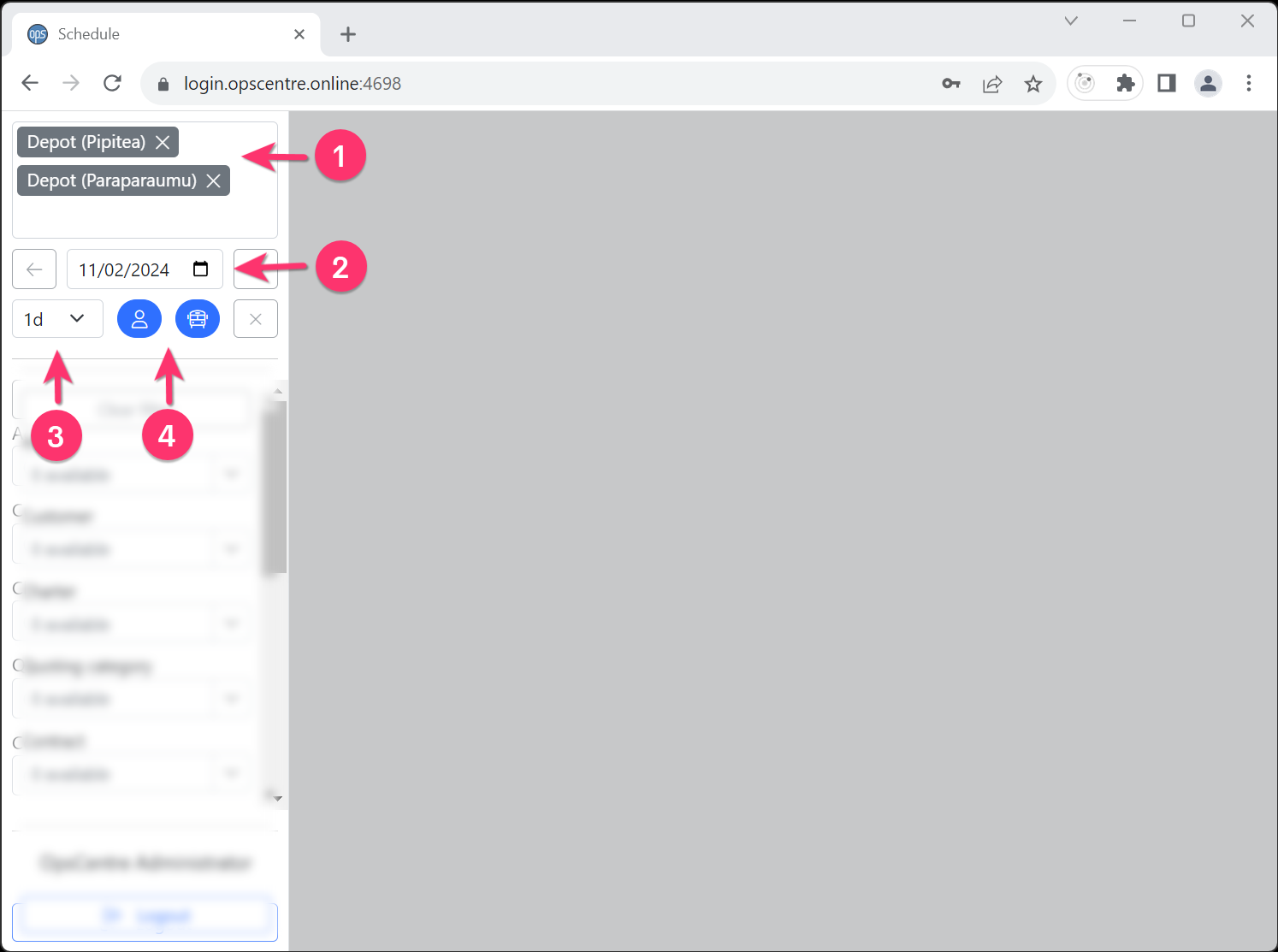
Upon first opening OpsCentre, the left hand menu is used to select the time period to view.
- Ensure the correct depot/s is/are selected.
- Select the date for the period to view.
- Optionally select how many days to view.
- Click either on the employee or vehicle button to load the appropriate data.